Drone Delivery: Navigate the City Grid
SkySend, a futuristic urban delivery company, uses a fleet of drones to shuttle packages across downtown. The drones fly only horizontally or vertically along the city grid - diagonal flight disrupts air traffic control! A new 10-stop route has been loaded, and the battery team needs to know the total distance before the drone takes off.
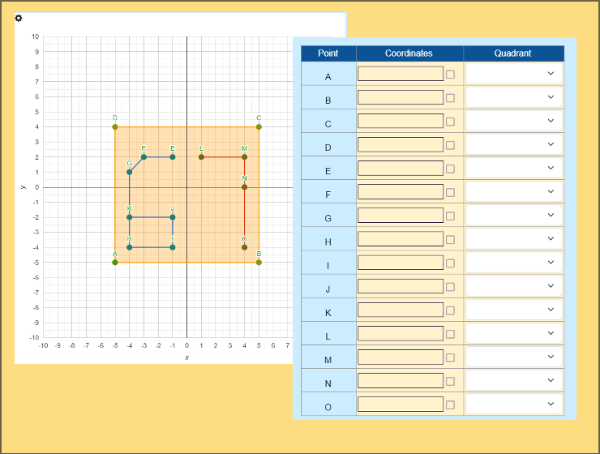
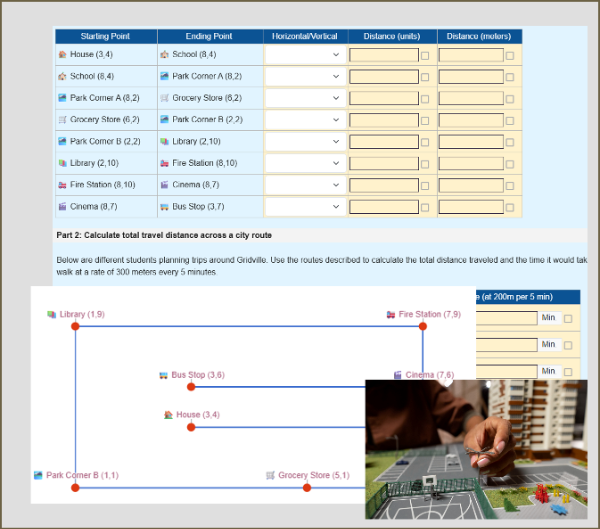
Students step into the role of a junior drone navigator and work through three parts of the mission. In Part 1, they read the coordinates of 10 labeled drop points (A through J) from a pre-plotted coordinate plane and enter each (x, y) pair into a table. In Part 2, they calculate the distance of each of the 9 consecutive legs (A→B through I→J) by taking the absolute difference of the changing coordinate. In Part 3, they sum all leg distances to report the total route distance.
An interactive coordinate grid will be displayed, the 10 points in the grid initially are colored red, which will turn to green if they enter correct coordinates, then when the distance between points is entered correctly, a line will be drawn automatically connecting the points.
This worksheet makes coordinate plane work feel purposeful and exciting. Students aren't just plotting points - they're solving a real navigation problem with a clear stakes: can the drone make it on one charge?
Pre-Requisites
- Reading and plotting ordered pairs in all four quadrants
- Understanding positive and negative integers on a number line
- Computing absolute value of integers
Key Features
- Pre-plotted coordinate plane with 10 labeled drop points
- Dynamically updated graph showing green dots for correct answers, and the path automatically drawn as a line graph when answers are correct.
- Randomized route generation - every student gets a unique city grid
- Full auto-grading across all inputs
Best Used After
Assign after students have been introduced to all four quadrants of the coordinate plane and have practiced finding distances between points that share a coordinate. Works well as a culminating activity for the 6.NS.C unit.
Learning Standards
- 6.NS.C.8 - Solve real-world problems by graphing points in all four quadrants and computing distances between points sharing an x- or y-coordinate using absolute value
- 6.NS.C.6 - Understand a rational number as a point on a number line; extend to the coordinate plane across all four quadrants
In this worksheet, students will read the coordinates of 10 labeled points (A through J) from a pre-plotted coordinate plane and record each ordered pair in a two-column table. Students will calculate the distance of each of the 9 consecutive route legs by finding the absolute difference of the changing coordinate between connected stops. Students will apply their understanding of all four quadrants of the coordinate plane, working with both positive and negative integer coordinates. Students will sum all 9 leg distances to determine the drone's total route distance and report it to the battery team. Students will analyze a rectilinear path in a real-world navigation context, connecting coordinate geometry to practical problem-solving.
This worksheet generates a unique 10-stop drone route for each student using randomized coordinates, so no two students will have the same city grid or leg distances. The math structure and difficulty remain identical - only the numbers change, preventing answer sharing. Would you like to enable randomization for this assignment?
💡 Tip: When assigning this activity to your classroom, you can optionally enable randomization to give each student a unique version of the problems. When you re-assign the same worksheet, each student will get a new set of questions, helping them master the content through repeated practice.