Scale Drawings: Convert and Rescale Airport Layout

In this interactive geometry activity, students measure features on a scale map, convert to real-world dimensions, then rescale the layout for a presentation. Visual feedback confirms correct answers instantly. A hands-on way to apply proportional reasoning and scaling!

✈️ Airport Scaling Challenge – A Real-World Geometry and Scale Drawing Activity

Give your students a hands-on opportunity to apply geometry and proportional reasoning with this interactive airport design challenge! In this two-part activity, students will explore how scale drawings are used in real-world scenarios like airport planning, engineering, and architecture.


First, students work with a scale map of Gridville International Airport, where they’ll measure runways, terminals, fuel depots, and more. Then, they calculate actual dimensions using a given scale and convert the layout to a new, smaller scale for presentation purposes. If students enter correct values, the scaled layout is revealed visually—making the learning instant, visual, and self-validating.


Perfect for 7th grade classrooms, this activity aligns with CCSS 7.G.A.1 and 7.RP.A.2, and it builds essential skills for geometry, measurement, and real-life problem solving.


💡 What’s Included:

  • Scale drawing of an airport with clearly marked features
  • Two-part interactive worksheet:
  • Part 1: Measure and compute real-world dimensions (1 cm = 200 m)
  • Part 2: Rescale the layout for presentation (1 cm = 400 m)
  • Instant visual feedback when students enter correct values
  • Student instructions + engaging storyline introduction
  • Auto-graded and interactive (no downloads required!)


🎯 Skills and Standards:

  • Understanding and applying scale drawings
  • Solving real-world geometry problems
  • Practicing proportional relationships and conversions
  • Aligned to:
  • CCSS.MATH.CONTENT.7.G.A.1
  • CCSS.MATH.CONTENT.7.RP.A.2
  • Supports 6.RP.A.3.D (for advanced 6th graders)

This activity is a perfect addition to your geometry unit, a real-world project, or a collaborative STEM day challenge. Try it today and watch your students think like engineers!

Learning Objective

Students will apply understanding of scale drawings and proportional reasoning to:

  • Convert between scale and actual dimensions (and vice versa),
  • Use consistent units to determine real-world lengths and widths,
  • Accurately redraw scaled layouts based on new scale requirements.

Scale Drawings: Convert and Rescale Airport Layout preview
Preview
Grade level
7
Type
Mini Lab (real-world worksheet)
Duration
15 minutes
Auto-graded
Yes
Common Core standards
7.G.A.17.RP.A.2
Topics
GeometryScale Drawings
Tags
Real WorldCareer MathConceptual UnderstandingApplicationGraph-BasedHomework

Related grade 7 activities

More interactive, auto-graded activities on the same standards and topics.

Mini LabGrade 7· 15 min

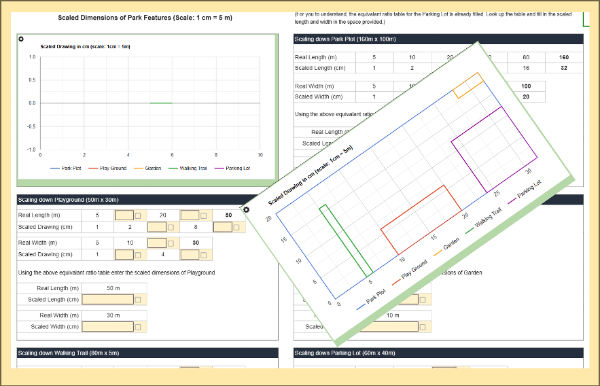
City Park Design Using Equivalent Ratios

In this hands-on activity, students use equivalent ratios to scale down real-world park dimensions and see their design come to life in an automatically generated graph. As they convert measurements, complete ratio tables, and analyze the final layout, they build fluency in proportional reasoning and visual interpretation.

Skill PracticeGrades 6, 7· 20 min

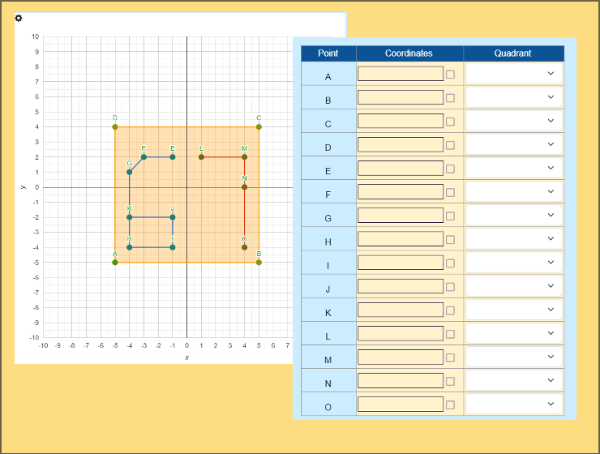
4-Quadrant Coordinate Mystery: Number 67

Practice coordinate graphing in all four quadrants with this fun mystery-picture activity! Students identify coordinates from labeled points, enter them into a table, and watch the graph reveal a hidden number. Reinforces quadrant recognition, positive/negative coordinates, and axis placement—perfect for 6th grade.

Skill PracticeGrades 6, 7, 8· 10 min

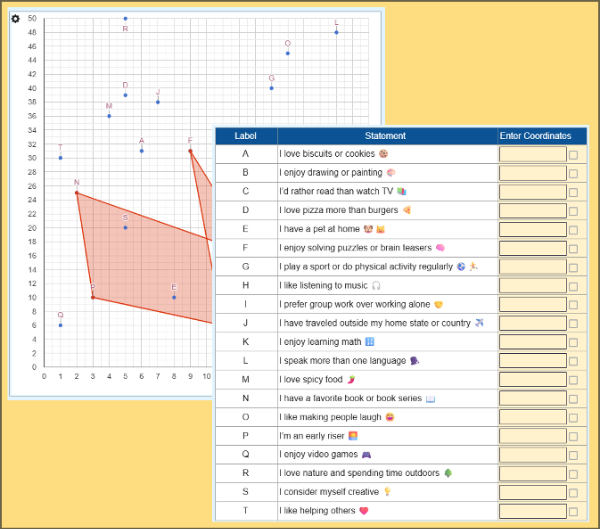
Back to School: My Coordinate Story

Students read 20 fun statements and choose the ones that describe them. For each, they find the matching point on a graph and enter its coordinates. As they do, a unique shape forms on the coordinate plane. This back-to-school activity falls under Geometry and helps students practice plotting points while expressing themselves.

LabGrades 7, 8· 180 min

Precision Construction: A Geometry Project

Step into the role of a construction engineer! In this hands-on geometry lab, students estimate costs for concrete, flooring, painting, HVAC, roofing, landscaping, and more using real-world floor plans. Covers area, volume, surface area, and unit conversions. Auto-graded and perfect for 7th grade classrooms.

Mini LabGrade 7· 15 min

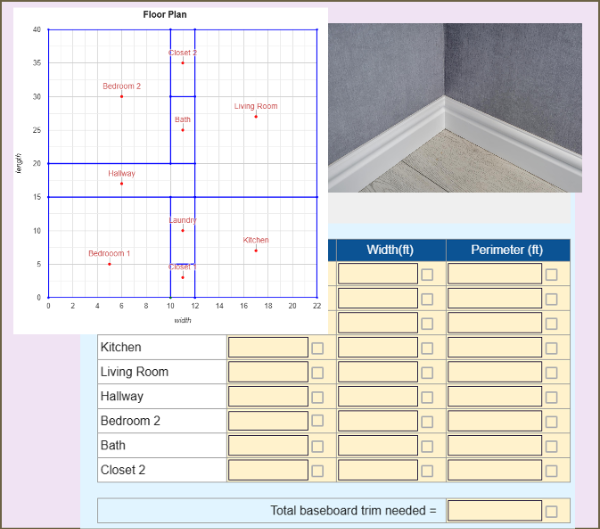
Baseboard Trim Estimation: Perimeter

Students use a floor plan on a coordinate grid to measure room dimensions, calculate perimeter, and estimate the total length and cost of baseboard trim needed for an apartment renovation. A hands-on geometry application!

Mini LabGrades 6, 7· 15 min

Scaling the City - Coordinate Geometry

Students use a city map on a coordinate grid to calculate real-world distances between locations, convert grid units to meters, and determine travel times—bringing coordinate geometry to life through practical navigation tasks.